
🎥 Watch the Video Walkthrough
📖 Written Step-by-Step Guide
Viewing and Generating Estimates
From your home dashboard, you can:
Open a All Estimates by selecting the "All Estimates" option..
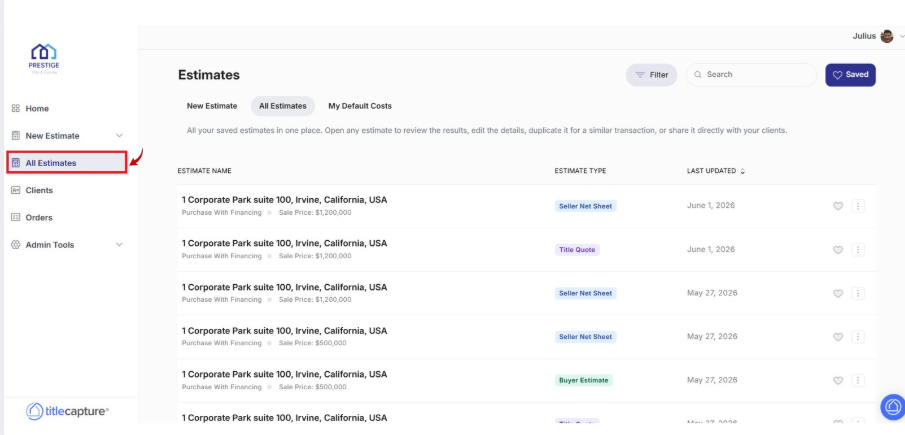
Access saved estimates by clicking the "All Estimates" button in the header menu.
Clicking the "All Estimates" button brings up your saved estimates, where you can edit, organize, or generate new ones.
Managing Estimates: Favorite, Duplicate, and Delete
To favorite an estimate, click the star icon next to the estimate (the star will turn blue when favorited).
To edit, duplicate, or delete an estimate, click the three dots to the right of the estimate. This will bring up an expandable menu with options to "Edit," "Duplicate," or "Delete." Select the appropriate option.
To filter estimates, click the "Filter" button. You can filter by favorite estimates, estimate type, last updated date, location, or branch.
To search for estimates, use the search bar to search by name or location.
For any questions, feel free to reach out to us at [email protected].