From the left-hand menu, click Templates. Then review the templates displayed on the right side of the screen.
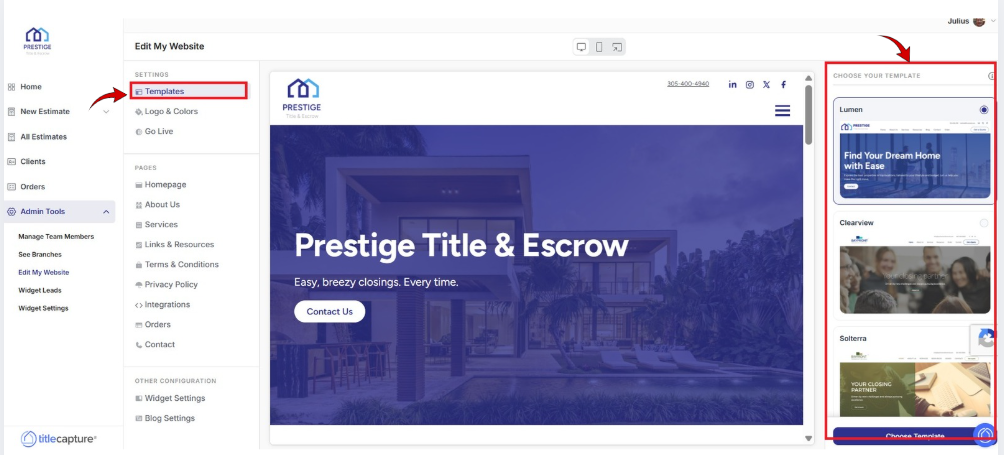
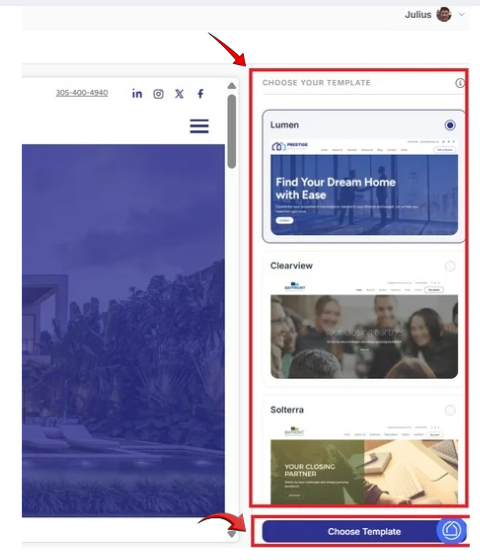
Select your preferred template from the list, then click on Choose Template.
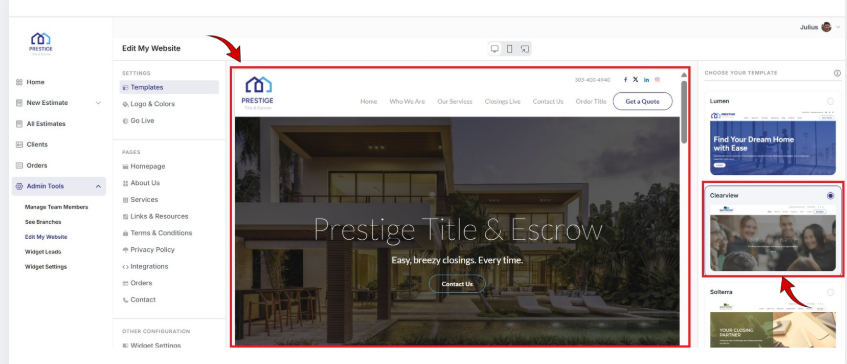
The selected template will preview in the center of the screen.
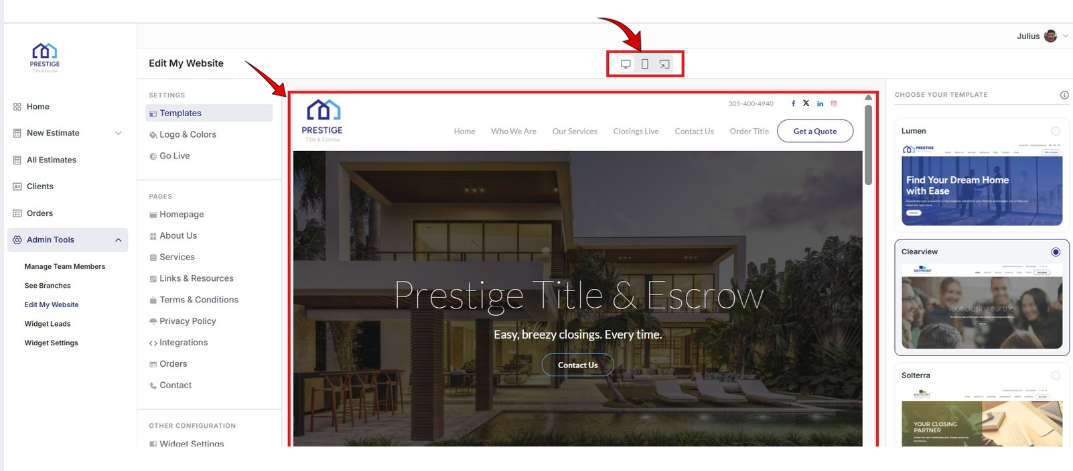
Scroll up or down to review the full layout. You can also switch between Desktop, Mobile views or Preview of the Website itself by clicking the icons above.
If you’d like to make additional changes, repeat these steps until you’re satisfied with the results.
Edit My Website > Settings
Included articles on templates, logos and colors, and publishing your website.
Edit My Website > Pages
Contains step-by-step guides for editing each page of your site, including Homepage, About Us, Services, Links & Resources, Contact, and Legal pages.
Edit My Website > Other Configuration
Includes step-by-step guides for configuring website widgets and managing blog settings to enhance your site’s functionality.
If you have any questions or need additional help, please reach out to us at [email protected]. We’re always happy to assist.
