
🎥 Watch the Video Walkthrough
📖 Written Step-by-Step Guide
WIDGET SETTINGS
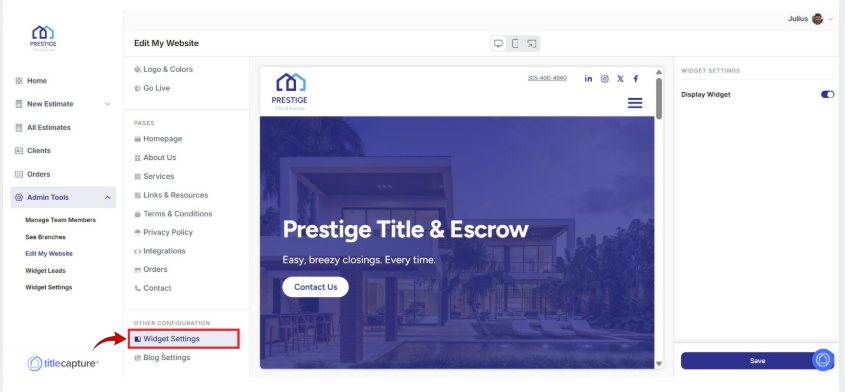
From the left-hand menu, under Other Configuration, click Widget Settings.
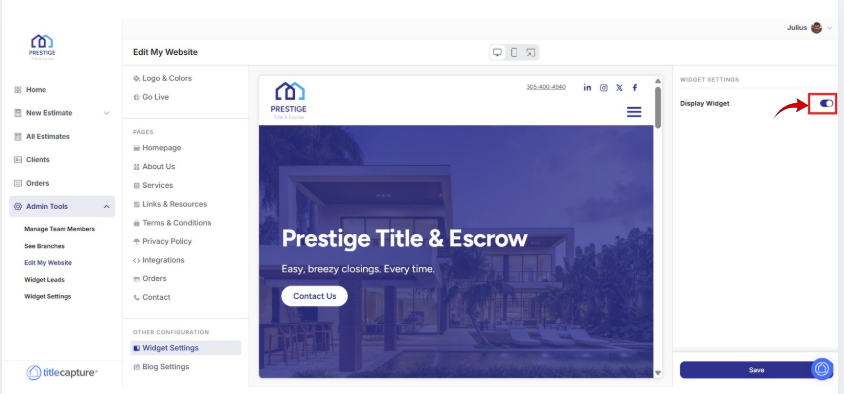
On the right-hand side of the screen, locate the Display Widget toggle.
Note: This widget is the floating “Get a Quote” or instant estimate button that appears on your website.
Toggle Display Widget ON if you want the floating quote/estimate button visible on your website.
Toggle Display Widget OFF if you do not want the floating widget displayed.
SAVE YOUR UPDATES
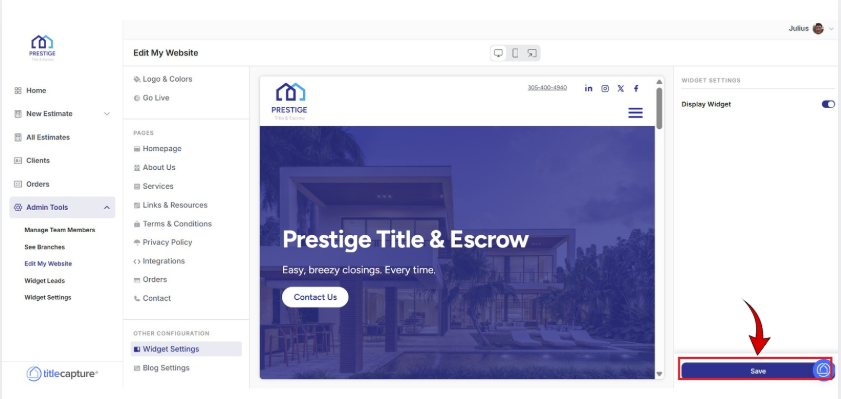
Click Save at the bottom-right of the screen.
Explore these Website Builder sections to learn more:
Edit My Website > Settings
Included articles on templates, logos and colors, and publishing your website.
Edit My Website > Pages
Contains step-by-step guides for editing each page of your site, including Homepage, About Us, Services, Links & Resources, Contact, and Legal pages.
Edit My Website > Other Configuration
Includes step-by-step guides for configuring website widgets and managing blog settings to enhance your site’s functionality.
If you have any questions or need additional help, please reach out to us at [email protected]. We’re always happy to assist.