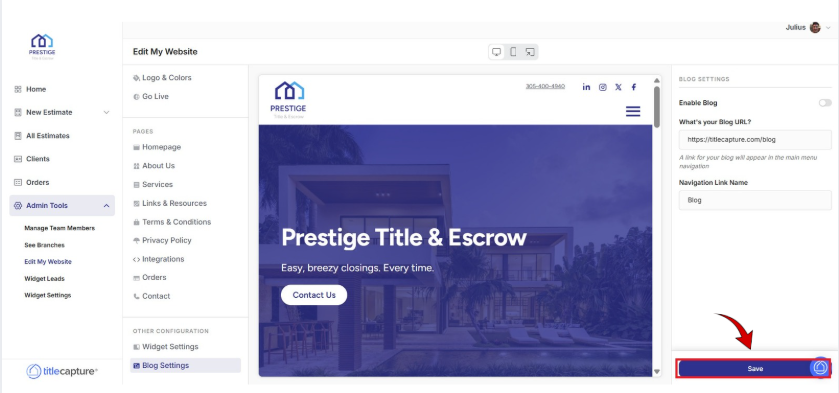
From the left-hand menu, under Other Configuration, click Blog Settings.
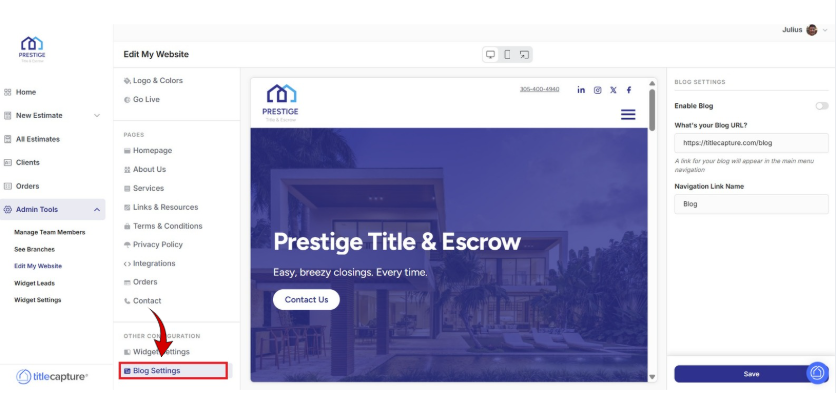
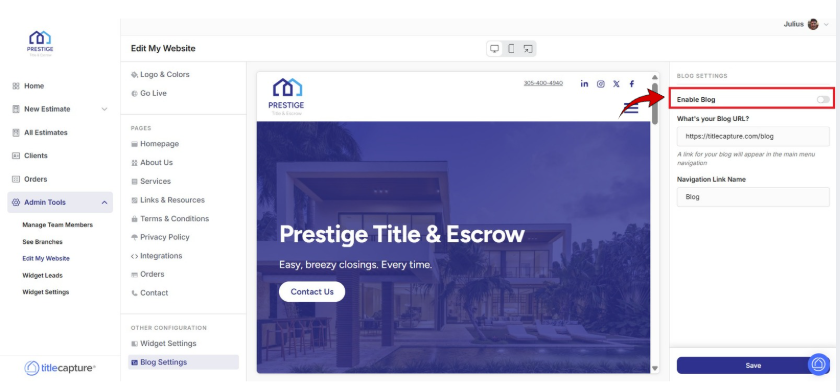
On the right-hand side of the screen, locate the Enable Blog toggle.
Turn it on if you want the blog visible on your website.
Turn it off if you do not want the blog displayed.
In the What’s your Blog URL? field, review the blog link provided. This is the direct URL where visitors can access your blog. You may update this URL if you want to connect or redirect to a different blog.
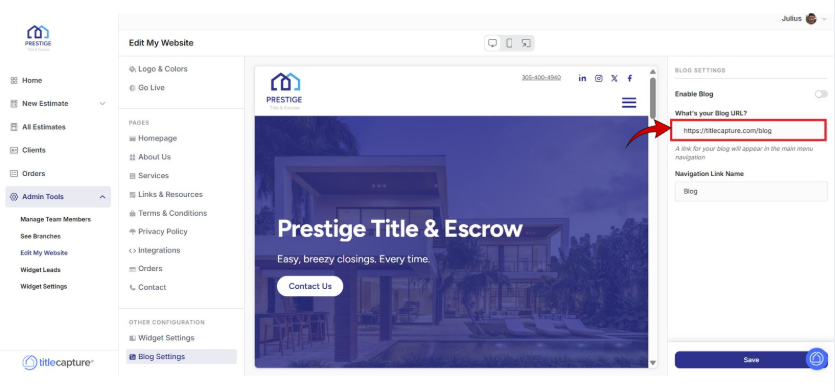
*A link for your blog will appear in the main menu navigation
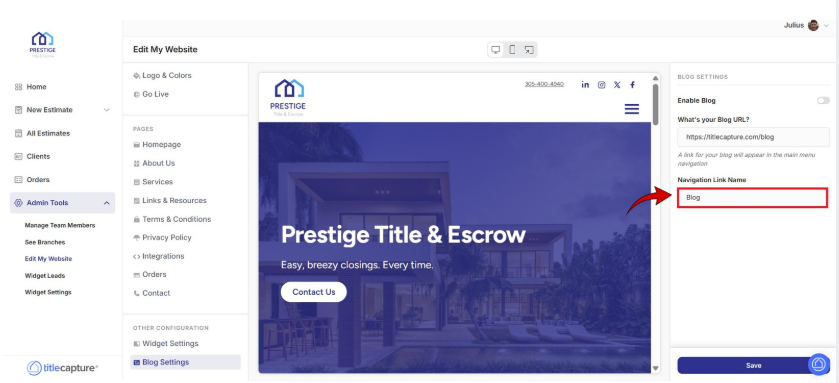
In the Navigation Link Name field, enter the name you want displayed in your website’s navigation menu (for example, “Blog,” “News,” or “Insights”).
Click Save at the bottom-right of the screen.
Edit My Website > Settings
Included articles on templates, logos and colors, and publishing your website.
Edit My Website > Pages
Contains step-by-step guides for editing each page of your site, including Homepage, About Us, Services, Links & Resources, Contact, and Legal pages.
Edit My Website > Other Configuration
Includes step-by-step guides for configuring website widgets and managing blog settings to enhance your site’s functionality.
If you have any questions or need additional help, please reach out to us at [email protected]. We’re always happy to assist.
